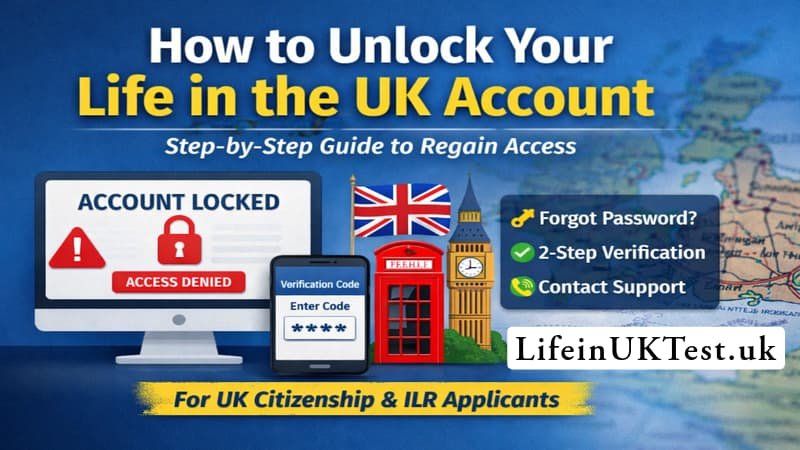
Knowing how to unlock Life in the UK account quickly is essential, particularly if you’re applying for UK citizenship or Indefinite Leave to Remain (ILR) and working against a deadline.
If you’re struggling to log in and seeing messages like “account locked” or “unable to access your Life in the UK account”, you’re not alone. Many candidates face login issues when booking or managing their Life in the UK test, especially after multiple password attempts, verification problems, or long periods of inactivity.
In this guide, we explain the latest, step-by-step methods to unlock your Life in the UK account in 2026 and beyond, using official processes that actually work, so you can regain access without unnecessary delays or stress.
How to Unlock Life in the UK Account: Complete Step-by-Step Guide (2026)
Getting locked out of your Life in the UK test account can be incredibly frustrating, especially when you’re trying to book or manage your test appointment. Whether you’ve entered your password incorrectly too many times or your account has been inactive for a while, don’t panic. This comprehensive guide walks you through everything you need to know about unlocking your account and getting back on track with your citizenship or settlement journey.
Understanding Why Your Account Gets Locked
Before we jump into the solutions, it’s worth understanding what triggers an account lock in the first place. The Life in the UK test booking system has security measures designed to protect your personal information and prevent unauthorized access.
Your account typically gets locked for these reasons:
Multiple failed login attempts – This is the most common culprit. If you’ve tried logging in several times with the wrong password, the system automatically locks your account as a security precaution. It’s frustrating when you can’t quite remember which variation of your password you used, but this feature actually protects you from potential security breaches.
Extended periods of inactivity – If you created your account months ago but haven’t logged in since, the system might flag it as inactive and lock it for security purposes.
Technical glitches or system updates – Occasionally, updates to the booking platform can temporarily affect account access, though this is less common.
The Official Way to Unlock Your Account
Always make sure you’re signing in using the official portal:
➡️ https://www.gov.uk/life-in-the-uk-test
This links you securely to the PSI test service (the official provider). Do not try from random search result ads or unofficial booking sites.
Before you proceed:
✔️ Ensure you’re entering the exact email address you used to register.
✔️ Turn off browser autofill if it keeps entering old details
When you see that dreaded message saying “Password reset failed. Account is locked,” here’s exactly what you need to do.
Step 1: Gather Your Information
Before reaching out for help, make sure you have these details ready:
- The exact email address you used to register for the Life in the UK test
- The complete error message you’re seeing (take a screenshot if possible)
- Any reference numbers from previous bookings or correspondence
Having this information at your fingertips will speed up the unlocking process significantly.
Step 2: Contact the LITUK Support Team
The official support team handles all account unlocking requests. Here’s how to reach them:
Email method
Email method is (recommended): Send an email to support@lituk.psionline.com with the following information:
- Subject line: “Account Unlock Request – [Your Name]”
- Your full name as it appears on your ID
- Your registered email address
- The exact error message you’re receiving
- Brief explanation of when the issue started
Sample Email Template – How to Unlock Your Life in the UK Account
Here’s a template you can use for your unlock request:
Subject: Account Unlock Request – [Your Full Name]
Dear Life in the UK Test Support Team,
I am writing to request assistance with unlocking my Life in the UK test account, which has become locked and is preventing me from accessing the booking system.
Account Details:
- Full Name: [Your name as it appears on your passport or ID]
- Registered Email: [The email you used to create the account]
- Date of Birth: [Your DOB]
Issue Description: I attempted to log into my account on [date] but received the following error message: “Password reset failed. Account is locked.” I believe this occurred after [explain briefly – e.g., “multiple unsuccessful login attempts” or “extended period of inactivity”].
I need to access my account to [book my test / view my booking / reschedule my appointment] and would greatly appreciate your assistance in unlocking it as soon as possible.
I have my identification documents ready and can provide any additional information needed to verify my identity.
Thank you for your help with this matter.
Kind regards,
[Your Full Name] [Your Contact Phone Number]
Phone method
You can also call the Life in the UK test helpline at 0800 015 4245. The team is available Monday through Friday, 8am to 8pm. When you call, have your details ready and explain that your account is locked.
📞 Phone Script – Unlocking Your Life in the UK Account
“Hello, Good Morning / Evening. I’m calling because I’m unable to access my Life in the UK test account. It looks like my account has been locked, and I’d appreciate your help in unlocking it.”
If They Ask for Your Details
“Of course. My full name is [your full name], and the email address I used to register is [your email address].”
If you have a booking reference:
“Yes, I have a booking reference. It’s [reference number].”
If you don’t:
“I haven’t booked the test yet, so I don’t have a booking reference at the moment.”
Explaining the Issue Clearly
“I tried logging in earlier and entered the wrong password a few times. Since then, my account seems to be locked, and I’m unable to log in or reset the password successfully.”
OR (if it’s a code issue):
“I’m not receiving the verification code needed to log in, even after waiting and checking my spam folder.”
If They Ask What You’ve Already Tried
“I’ve used the ‘forgot password’ option, checked my email and spam folder, and waited for the lockout period, but I’m still unable to access the account.”
Polite Request for Help
“Could you please check my account and help unlock it, or advise me on what I need to do next?”
Confirming the Outcome
If they unlock it:
“Thank you. Just to confirm, will I be able to log in straight away, or should I wait for a short period?”
If they reset something:
“That’s fine. Will I receive an email with instructions, or should I try logging in again now?”
Closing the Call
“Thank you very much for your help today. I really appreciate your support. Have a nice day.”
Quick Reminder Before Calling
- Keep your email address, full name, and booking reference (if available) ready
- Speak calmly and clearly
- Call during official working hours for faster assistance
Step 3: Wait for the Unlock Email
Once the support team processes your request, you’ll receive an email with instructions for resetting your password. This typically happens within one to two business days, though it can sometimes be faster if you call during office hours.
The email will contain a secure link that allows you to create a new password. This link is time-sensitive, so use it as soon as you receive it.
Step 4: Reset Your Password Properly
When creating your new password, follow these best practices:
- Make it at least 8 characters long
- Include a mix of uppercase letters, lowercase letters, numbers, and symbols
- Avoid using personal information like your birthday or name
- Don’t reuse passwords from other accounts
- Write it down in a secure place or use a password manager
Once you’ve successfully reset your password, try logging in immediately to confirm everything works.
Alternative Solutions If You Can’t Access Your Email
Sometimes the problem isn’t just a locked account – you might also have lost access to the email address you originally registered with. This complicates things, but it’s not impossible to resolve.
If you can’t access your registration email, you’ll need to provide additional verification to the support team:
- Contact the helpline at 0800 015 4245 during business hours
- Explain that you’ve lost access to your original email
- Be prepared to provide identification details (passport number, BRP number, etc.)
- They may ask security questions to verify your identity
- You might need to create a new account with your current email address
The team will guide you through the verification process. Keep in mind this might take longer than a standard unlock request, so be patient and cooperative.
Preventing Future Lockouts
Getting locked out once is enough for anyone. Here’s how to avoid repeating the experience:
Use a password manager – Tools like LastPass, 1Password, or even your browser’s built-in password manager can securely store your login credentials so you never forget them.
Keep your email address current – If you know you’re changing email providers, update your Life in the UK account details before the old account gets deactivated.
Log in periodically – Even if you’re not ready to book your test yet, logging in every few months keeps your account active and prevents automatic locks.
Enable browser autofill carefully – While autofill can be convenient, make sure it’s saving the correct password. Sometimes browsers save an incorrect attempt, which causes repeated failed logins.
Keep verification details accessible – Store your registration confirmation email and any booking references in a dedicated folder so you can always prove your identity if needed.
What Happens After Your Account Is Unlocked
Once your account is successfully unlocked and you’ve reset your password, you’ll have full access to your test booking dashboard again. From there you can:
- Book your Life in the UK test at an available centre
- View upcoming test appointments
- Reschedule or cancel tests (with proper notice for refunds)
- Update your personal information
- Access your test results
Remember that you need to book or cancel at least three full days before your intended test date if you want to be eligible for a refund.
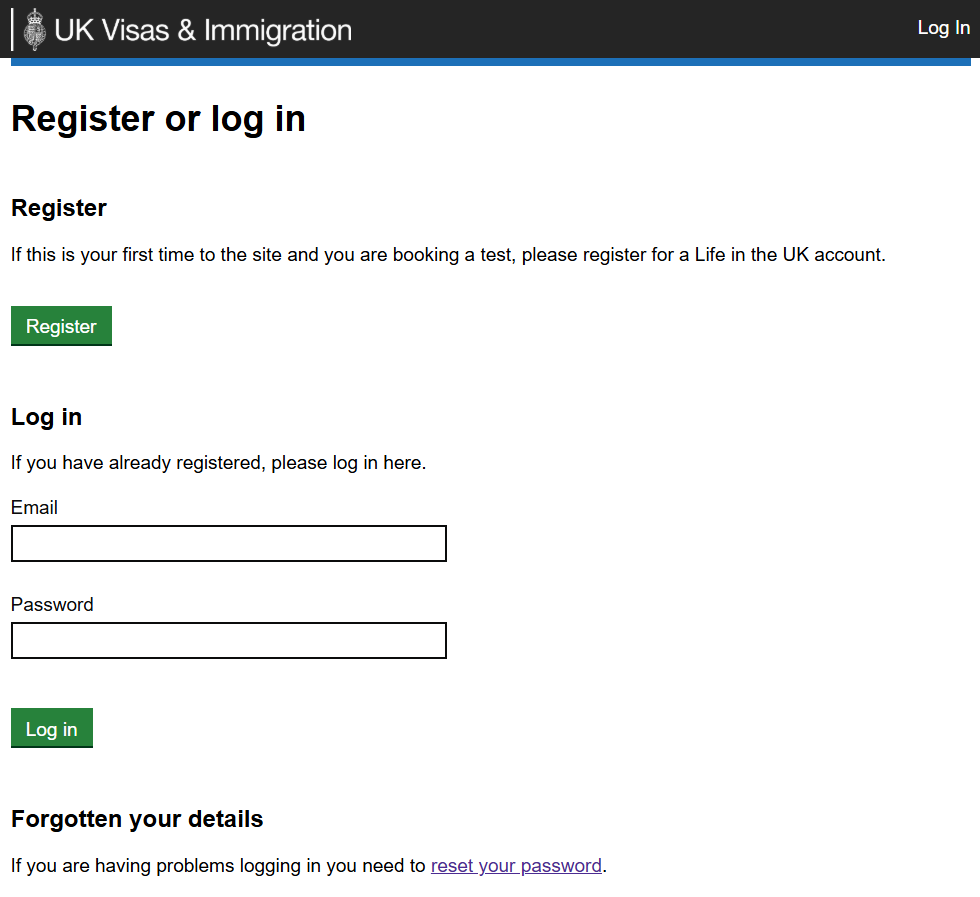
Dealing with the “Forgot Password” Option
If your account isn’t technically locked but you’ve simply forgotten your password, the process is slightly different and usually quicker.
Visit the official booking site at www.lituktestbooking.co.uk and click the “reset your password” link on the login page. Enter the email address you registered with, and you’ll receive a password reset link directly to your inbox.
Please note this method only works if your account isn’t locked. If you see an error message after trying to reset, then you’ll need to follow the full unlock procedure outlined above.
Important Reminders About Account Security
The Life in the UK test booking system handles sensitive personal information, so security is taken seriously. Always:
- Access the booking portal only through the official government website (GOV.UK) or the direct link at www.lituktestbooking.co.uk
- Never share your login credentials with anyone, including people claiming to be support staff
- Be wary of phishing emails that look like they’re from the Life in the UK test service
- Double-check that web addresses start with “https://” before entering any information
- Avoid using public or shared computers to access your account when possible
If You Need to Create a Fresh Account
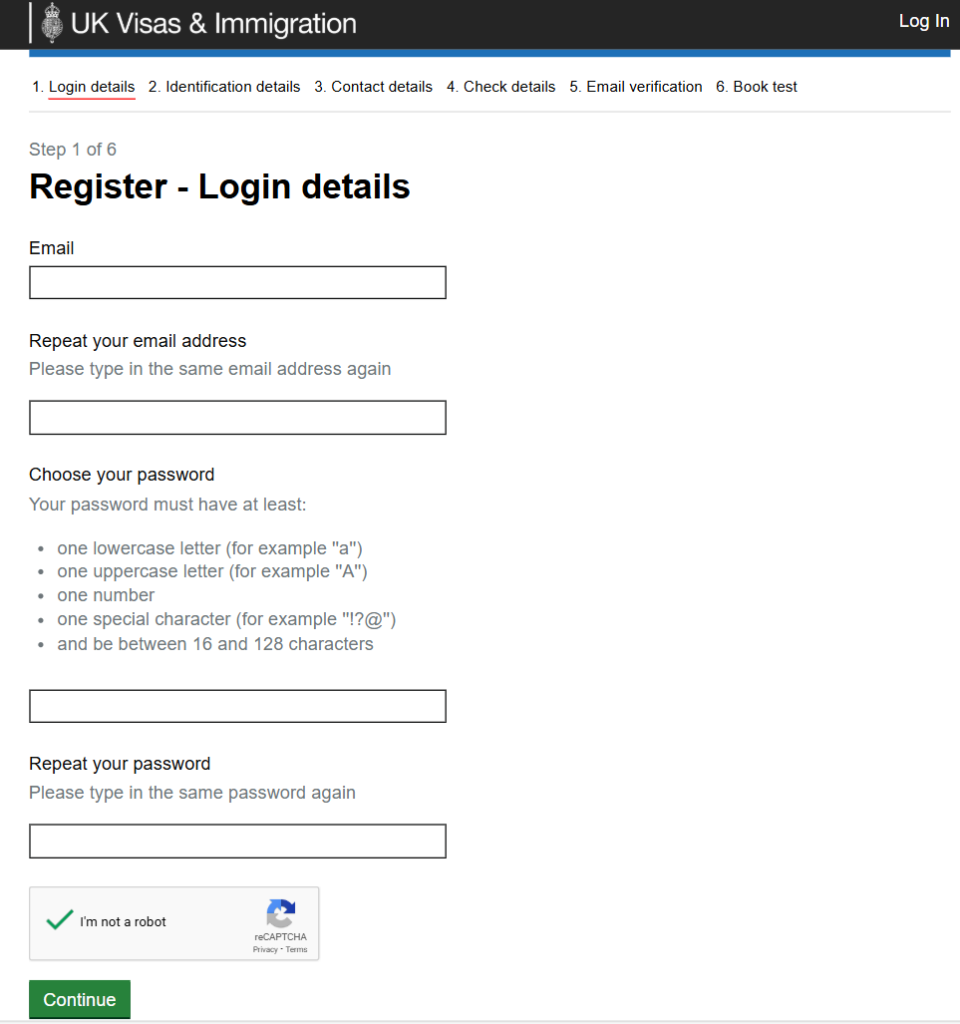
In some cases, particularly if you’ve had an account locked for an extended period or can’t verify your identity, it might be easier to create a completely new account. You can do this at www.lituktestbooking.co.uk/lituk-web/registration.
You’ll need:
- A valid, current email address
- A form of photo ID (passport, biometric residence permit, or another acceptable document)
- The details must match exactly between your account and your ID
Creating a new account is straightforward, but remember that each test attempt costs £50, so you’ll need to book and pay for the test again even if you had a previous booking on your locked account.
Timeline Expectations
Understanding realistic timeframes helps manage your stress levels during this process:
- Email unlock requests: 1-2 business days for a response
- Phone requests during office hours: Sometimes resolved the same day
- Identity verification cases: 3-5 business days
- New account creation: Immediate, but you’ll need to book a new test slot
If you haven’t heard back within three business days, follow up with another email or phone call.
Getting Help from Immigration Advisors
If you’re facing tight deadlines for your settlement or citizenship application and account issues are causing delays, consider getting professional help. Immigration solicitors can:
- Liaise with the test provider on your behalf
- Submit legal representation with evidence if needed
- Ensure your test results are properly linked to your immigration application
- Advise on alternative options if time is running out
While this involves additional cost, it can be worthwhile if your immigration timeline is at stake.
Final Thoughts on Account Management
Your Life in the UK test account is a crucial part of your journey toward settlement or British citizenship. While getting locked out is stressful, the official support channels are designed to help you regain access efficiently.
The key is to act promptly, provide accurate information, and follow the official procedures rather than trying workarounds that might create more problems. Most account lockouts are resolved within a few days, allowing you to get back to what really matters – preparing for and passing your test.
Keep this guide bookmarked in case you need it again, and don’t hesitate to reach out to the official support team at support@lituk.psionline.com or 0800 015 4245 if you encounter any issues. They’re there to help, and getting your account unlocked is a routine request they handle regularly.
Good luck with your Life in the UK test and your citizenship journey ahead.