How to Download Life in the UK Test Certificate: Complete Step-by-Step Guide 2026
Passing your Life in the UK test is a major milestone on your journey to British citizenship or settlement. But once you’ve successfully completed the exam, you’ll need your test certificate and unique reference number for your immigration application. This comprehensive guide shows you exactly how to access, download, and use your Life in the UK test pass certificate.
Understanding the Life in the UK Test Certificate
Before we dive into the download process, it’s important to understand what you receive after passing the test and why it matters for your citizenship or ILR application.
What You Receive After Passing
When you pass the Life in the UK test, you receive:
- Unique Reference Number (URN): A special code in the format HOM/010114/123456/123456789
- Digital access to your results: Through your LitUK online account
- Email confirmation: Containing your URN and test result
- Pass notification: Available to view and download from your account
Important change: Since December 17, 2019, physical pass notification letters are no longer issued. Everything is now managed digitally through your online account.
Why Your Certificate Matters
Your Life in the UK test pass certificate is essential for:
- Indefinite Leave to Remain (ILR) applications
- British citizenship (naturalisation) applications
- Proving you meet UK immigration requirements
- Settlement applications
The best part? Your test pass never expires. Once you’ve passed, you can use the same certificate for multiple applications, from ILR to citizenship.
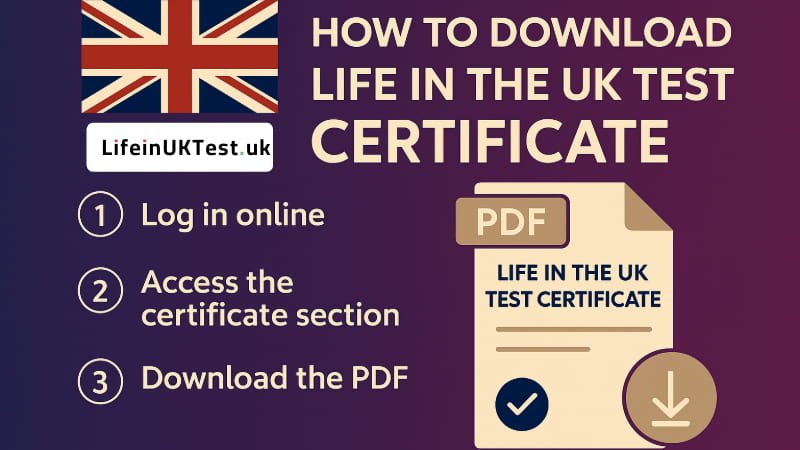
Step-by-Step Guide: How to Download Your Life in the UK Test Certificate
Step 1: Access Your LitUK Account
To download your certificate and access your unique reference number, you need to log into your Life in the UK test account.
What you’ll need:
- The email address you used when booking the test
- Your password for the account
How to access:
- Visit the official Life in the UK test booking website: https://www.lituktestbooking.co.uk
- Click on “Sign In” or “Manage Account”
- Enter your email address and password
- Click “Log In”
Forgot your password? Don’t worry – use the “Forgot Password” option to reset it. You’ll receive a password reset link via email.
Step 2: Navigate to Your Test Results
Once you’re logged into your account:
- Look for the “Results” tab or “My Tests” section
- Click on your completed test
- Your test result will be displayed showing:
- Pass/Fail status
- Your score (you need 18 out of 24 correct to pass)
- Date and location of your test
- Your Unique Reference Number (URN)
Step 3: Locate Your Unique Reference Number
Your URN is the most critical piece of information. It appears in two places:
- In your account: Under your test results
- In your email: Sent to you immediately after completing the test
The URN format looks like this: HOM/010114/123456/123456789
Top tip: Take a screenshot of your URN and save it in multiple locations. You’ll need this number for all future immigration applications.
Step 4: Download Your Pass Notification
While physical certificates are no longer issued, you can:
- View your pass notification in your account
- Take a screenshot or print your results page
- Save a PDF copy for your records
- Keep the email confirmation you received
How to save as PDF:
- Windows: Press Ctrl + P, then select “Save as PDF”
- Mac: Press Cmd + P, then select “Save as PDF”
- Mobile: Use your device’s screenshot function
Step 5: Check Your Email
After passing the test, you should have received an email containing:
- Your test result
- Your URN
- Date and location of the test
Search your inbox for:
- Subject lines containing “Life in the UK Test” or “LitUK”
- Emails from lituktestbooking.co.uk or psionline.com
- Check your spam/junk folder if you can’t find it
Troubleshooting: What If You’ve Lost Your Certificate?
Don’t panic if you’ve misplaced your pass notification or can’t access your account. Here are solutions for common problems.
Problem 1: Can’t Remember Your Password
Solution:
- Go to the Life in the UK test booking website
- Click “Forgot Password”
- Enter the email address you used to book the test
- Check your email for a password reset link
- Create a new password and log in
Problem 2: Can’t Access Your Email
If you used an old email address that you no longer have access to:
Solution:
- Contact the Life in the UK test helpline: 0800 015 4245
- Provide your:
- Full name (exactly as it appears on your ID)
- Date of birth
- Approximate test date
- Test centre location
- Request help accessing your account or retrieving your URN
Problem 3: Account Locked
If your account is locked after multiple failed login attempts:
Solution:
- Call the helpline: 0800 015 4245
- Speak to a support representative
- Verify your identity
- They’ll unlock your account and help you regain access
Problem 4: Lost Your URN Completely
If you’ve lost access to both your account and email:
Solution Option 1 – Check Previous Applications: If you’ve already used your test pass for a previous application (like ILR), your URN should be on that application form. Check:
- Saved copies of your ILR application
- Documents returned by the Home Office
- Any correspondence about your previous application
Solution Option 2 – Request Subject Access Record (SAR): You can request your immigration records from UK Visas and Immigration (UKVI), which may contain your test reference.
Solution Option 3 – Write a Cover Letter: If all else fails, you can submit a cover letter with your citizenship application explaining:
- That you passed the test
- The approximate date you took it
- The test centre location
- Why you don’t have the reference number
- Any other details you remember
The Home Office maintains records of all test passes and can verify your results using your personal details.
Using Your Certificate for Immigration Applications
For Indefinite Leave to Remain (ILR)
When applying for ILR:
- Enter your URN in the designated field on your application form
- The Home Office will verify your pass automatically
- You typically don’t need to submit physical documentation
- Keep your URN accessible throughout the application process
For British Citizenship Applications
When applying for naturalisation:
- Provide your URN on the citizenship application form
- The same test pass you used for ILR is valid for citizenship
- You do NOT need to retake the test
- No additional documentation required if you have your URN
Verification Process
The Home Office uses your URN to:
- Check their central database
- Verify your identity through the photo taken at the test centre
- Confirm your test date and pass status
- Match the details to your application
Important Information About Your Test Pass
Does the Certificate Expire?
No, your Life in the UK test pass never expires. Once you’ve passed, you can use it for:
- ILR application immediately
- Citizenship application years later
- Multiple applications if needed
This is different from English language tests (SELT), which typically expire after 2 years.
Can You Use It Multiple Times?
Yes! The same test pass works for:
- Your initial settlement (ILR) application
- Your later citizenship application
- Any other immigration applications requiring it
You only need to pass the test once in your lifetime.
Name Changes After Passing
If your name has changed since taking the test (due to marriage, divorce, or deed poll):
What to do:
- Your test pass remains valid
- Provide evidence of your name change (marriage certificate, deed poll, etc.)
- In your application, explain the name difference
- Ensure your application matches your current legal name
- The Home Office will match your records using other details
Common Questions About Downloading Your Certificate
Can I Download a Physical Certificate?
No, physical certificates haven’t been issued since December 2019. Your pass is verified digitally through the URN system. However, you can:
- Print your results page from your account
- Save screenshots
- Keep email confirmations
What If I Took the Test Before 2019?
If you took the test before December 17, 2019:
- You should have a physical pass notification letter
- If lost, follow the troubleshooting steps above
- The Home Office still has records of your pass
- Provide as much information as you remember
How Long Does It Take to Get Results?
Your results are available immediately after completing the test:
- You’re told verbally at the test centre
- Your account is updated within minutes
- Email confirmation arrives shortly after
Can Someone Else Access My Certificate?
No, your LitUK account is personal and secure. Only you can access it using your email and password. The Home Office can verify your results, but they use secure systems.
Tips for Keeping Your Certificate Safe
Digital Storage Best Practices
- Save multiple copies:
- Screenshot your URN
- Download PDF of your results page
- Save the email confirmation
- Store in cloud storage (Google Drive, OneDrive, etc.)
- Keep it accessible:
- Create a dedicated folder for immigration documents
- Name files clearly (e.g., “LITUK_Certificate_2024.pdf”)
- Don’t rely on a single copy
- Share wisely:
- Keep your URN confidential
- Only share with official immigration advisors or solicitors
- Don’t post it on public forums
Physical Backup
Even though it’s digital, consider:
- Printing a copy for your physical files
- Keeping it with other important documents
- Storing it safely at home
What to Do Next After Getting Your Certificate
Once you have your certificate and URN secured:
1. Verify All Details Are Correct
Check that your:
- Full name matches your passport
- Date of birth is accurate
- Test date is recorded
- URN is complete and legible
2. Prepare Other Required Documents
For your ILR or citizenship application, you’ll also need:
- Valid passport
- Biometric Residence Permit (if applicable)
- English language test results (if required)
- Proof of residence
- Employment documents
- Character references
3. Keep Your Account Active
Don’t delete your LitUK account. You may need to access it again to:
- Retrieve your URN
- Show proof of passing
- Provide information for future applications
4. Start Your Immigration Application
With your certificate secured, you can proceed with:
- ILR application if you meet the residence requirements
- Citizenship application if you already have ILR
- Other settlement applications as appropriate
Contact Information and Support
Life in the UK Test Helpline
Phone: 0800 015 4245
Hours: Monday to Friday, 8am to 8pm
Email: support@lituk.psionline.com
Use the helpline for:
- Account access issues
- Technical problems
- Lost URN recovery
- General test questions
UK Visas and Immigration
For immigration application queries: Phone: 0300 123 2253
Website: https://www.gov.uk/contact-ukvi
Additional Resources
- Official Government Guidance: https://www.gov.uk/life-in-the-uk-test
- Test Booking Website: https://www.lituktestbooking.co.uk
- Home Office Immigration Rules: https://www.gov.uk/guidance/immigration-rules
Key Takeaways
Remember these essential points:
✓ Your Life in the UK test pass never expires
✓ You only need to pass once for all applications
✓ No physical certificates are issued since December 2019
✓ Your URN is the most important piece of information
✓ Access your certificate through your LitUK online account
✓ Save multiple copies of your URN in different places
✓ If lost, the Home Office can still verify your pass
✓ Keep your account credentials safe and accessible
Conclusion
Downloading and securing your Life in the UK test certificate is straightforward when you know the right steps. Your unique reference number is the key to your immigration applications, so treat it like the valuable document it is.
By following this guide, you can confidently access your certificate, keep it safe, and use it for your ILR or British citizenship application. Remember, help is always available through the official helpline if you encounter any issues.
Good luck with your journey to British citizenship or settlement! You’ve already cleared one of the major hurdles by passing the Life in the UK test.
Frequently Asked Questions
Q: Do I need to print my certificate?
A: No, but it’s recommended to keep a printed copy with your important documents as a backup.
Q: Can I retake the test if I’ve lost my certificate?
A: You can, but it’s not necessary. The Home Office has records of your pass, and you can retrieve your URN through your account.
Q: How much does it cost to get a replacement certificate?
A: There’s no replacement certificate since everything is digital. Accessing your account is free.
Q: Will my test centre have a copy?
A: Test centres don’t store individual results. All records are held in the central database accessed through your online account.
Q: Can I use my spouse’s test result?
A: No, everyone must pass their own Life in the UK test. Results are non-transferable.
Disclaimer – This guide is for informational purposes. Always check official government sources for the most current requirements.